Im replacing my original power supply via warranty. After replacing the power supply, the mechanical drives are not spinning up. The green light turns on then backplane boards when powering up, but the drives do not spin up nor recognized by the OS. If you are familiar with the wiring, there is a peculiar setup to power the back plane. You have to seed the wire into 2 yellow wire sockets. Im guessing I wired these incorrectly. Im looking for some guidance. Does the order of the wires matter? The OS boots up from the SSDs. Please see attached pix.
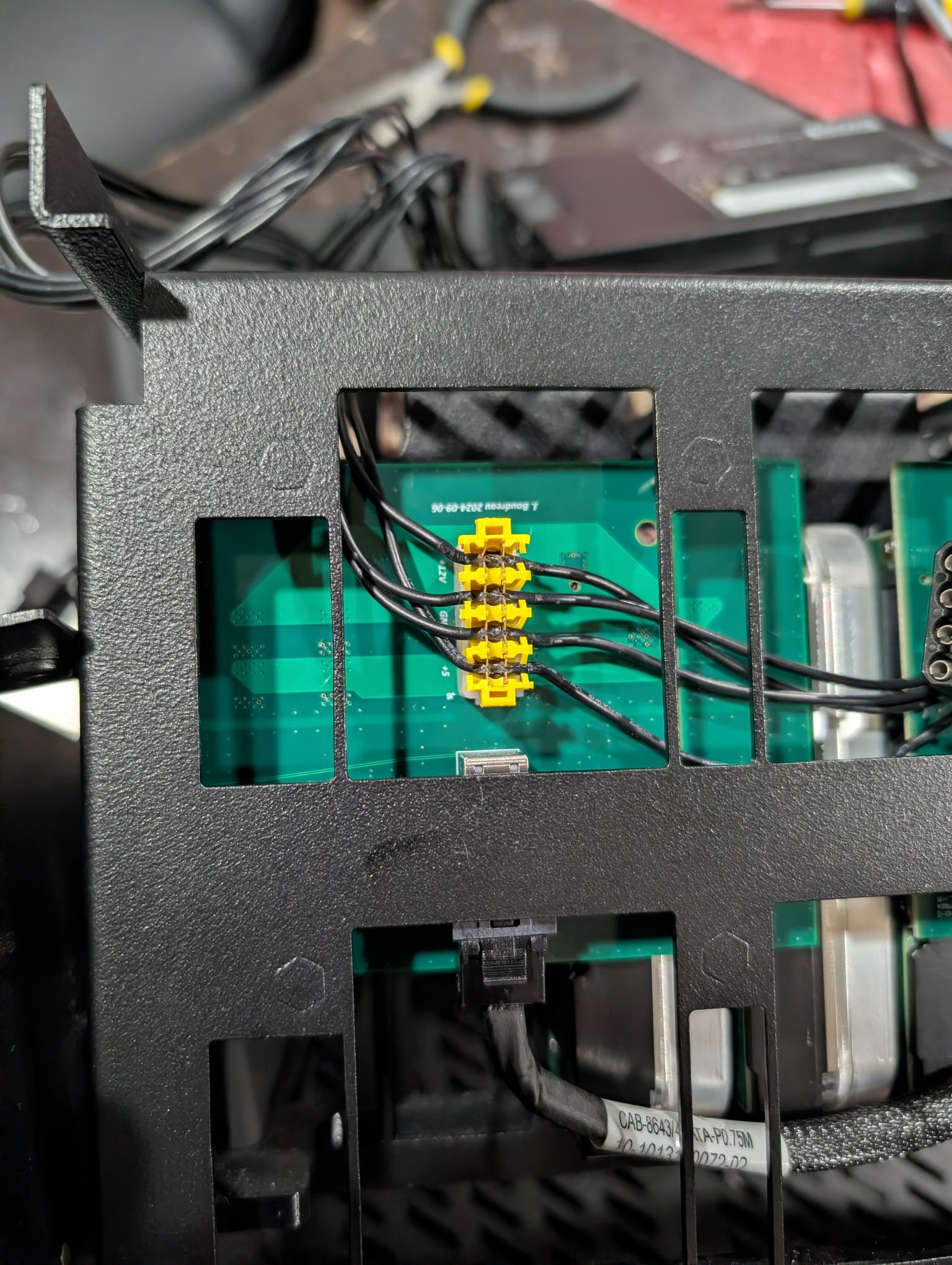
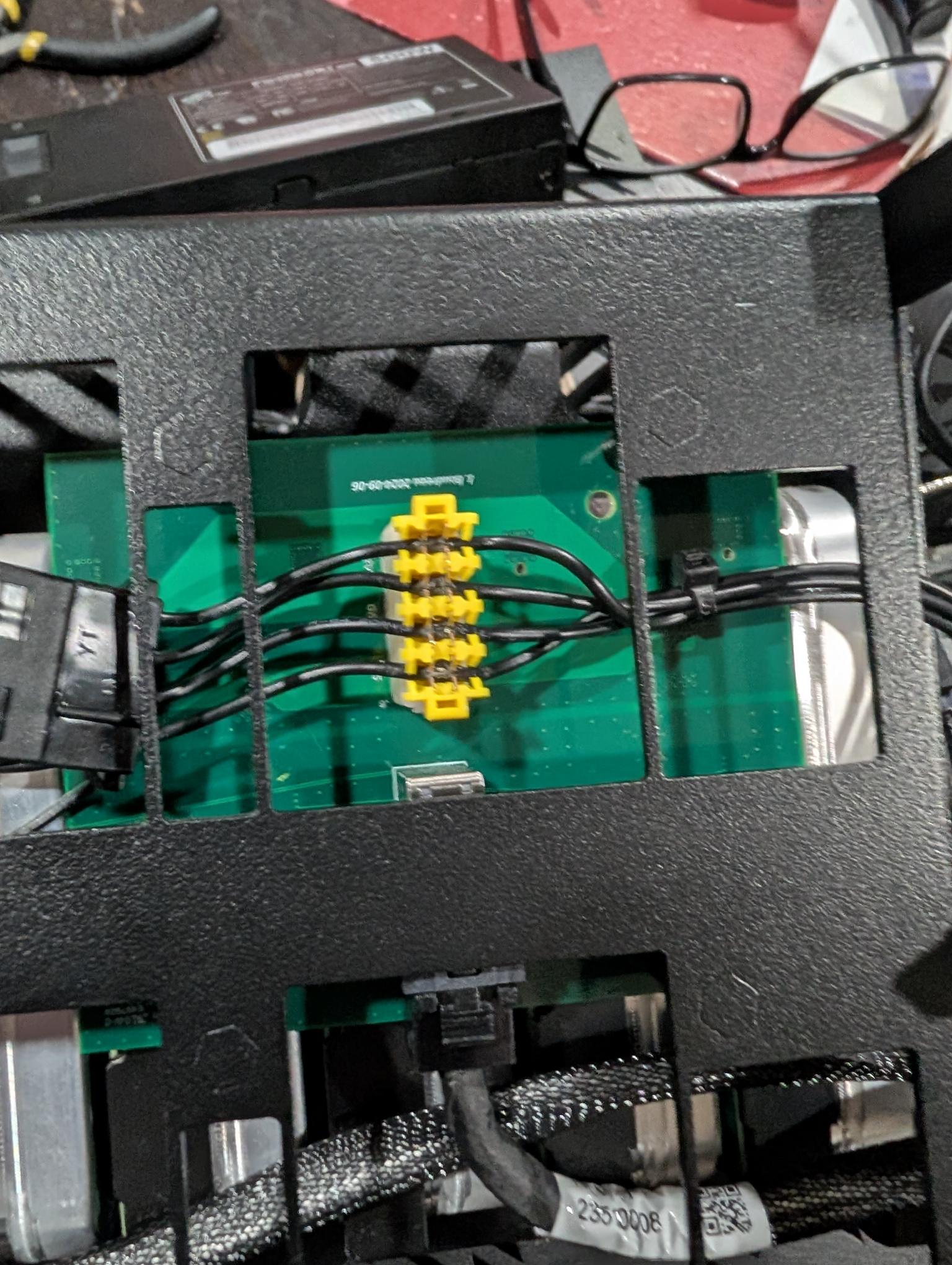
Next to the connector there is some printing;
+12V
GN
GN
+5V
Because the wires aren’t colored, you’ll need to use the connector on the end of the cable to identify the wires;
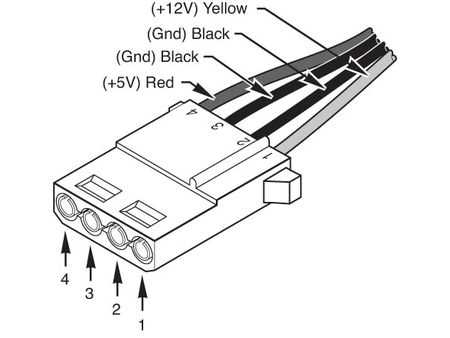
If you orient your cable as in the diagram, with the beveled sides of the connector on the bottom, the +12V will be associated with pin 1 and the +5V with pin 4 as labeled in the diagram. The wires for pins 2 and 3 can go in either GN connection.
I’m guessing you kept the wires in order, so probably need to flip the cable over.
Note, though, that if you applied 12V to electronics expecting 5V there is a possibility you damaged something on the backplane or the drives.
I reached out to 45HomeLab when I was building my HL8 and they actually provided me the files for a 3D printed jig to crimp the PSU wires into the low profile yellow molex connectors. You can see it in the pictures from the post linked below. It calls out orientation of the PSU along with the red and yellow wires. There’s a keyed spot for the standard molex connector so it’s practically mistake proof. I know not everyone has a 3D printer so this is probably something that should be offered and sent with any PSU warranty work. @Vikram-45HomeLab
Hopefully nothing was damaged if you did cross the wires. A multimeter can also help you identify which wire is which.
1 Like
Thank you for the great information. I indeed did the foolish thing and got the wires backwards. After looking at the backplane board a bit closer, I can see the lanes are properly marked and your excellent diagram got me on track. Thankfully Im back up and running after wiring it correctly, no black smoke  Those molex are hard without a tool and I wish someone would have shared that with me. Anyone have a link to the crimp tools. This is probably the most annoying thing I have had to deal with for the HL8.
Hey @js1637,
I totally understand your frustration. Can you kindly let me know if you were able to crimp the cables, and if not, i can arrange to send something your way to get this corrected as soon as possible.
Thank you @DigitalGarden @rymandle05 for pointing @js1637 the correct direction.
You can send me an email to info@45homelab.com, and I will get back to you ASAP!
2 Likes