I have a HL15 1.0 and i cant have it down for too long. I’m going to be switching to a PWM fan hub, and curious how the fans are wired it ahead of time, I have ATX/Molex pin tools to depin the fan wires completely out of the plug to the power distrobution board if thats how they are wired. now sure if they are on the wires that power the backplane though.
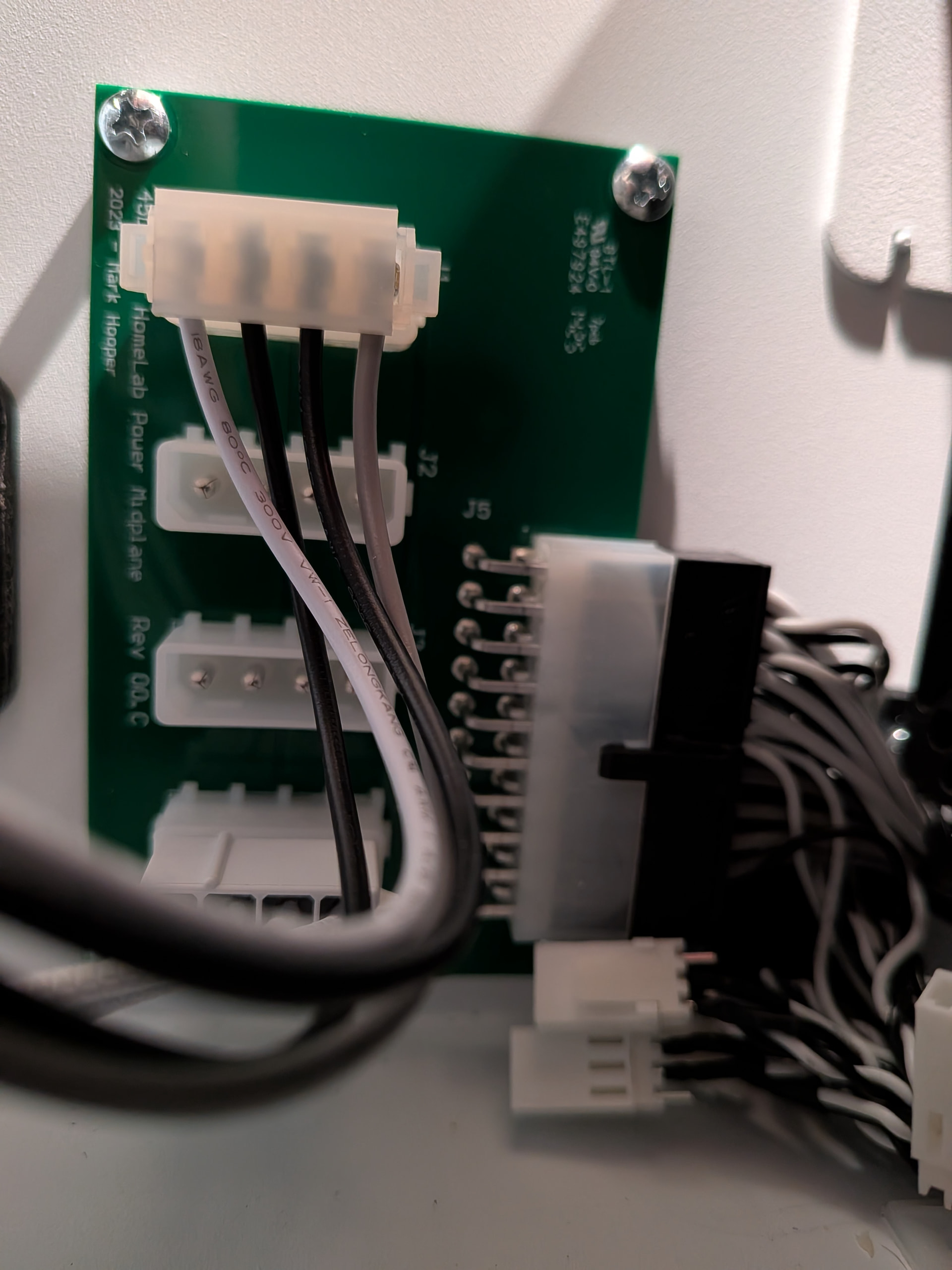
The PDB has a relatively simple 20-pin output connector. Some of the wires go to the backplane and the others go to six pigtail 3-pin fan header connectors. Some of the connector pins are doubled up; I’m not sure if any of the pins overlap with one wire going to the backplane and another going to a fan connector, or if the pins for the fans and backplane are segregated. I don’t really want to undo my zip ties to investigate.
I think your issue in a system you don’t want to have down for too long though would be the awkwardness of depinning. Even if you unscrew the PDB from the side, I’m not sure you’ll have enough wire lengths from the backplane to easily work the connector, if you can even get it disconnected from the PDB.
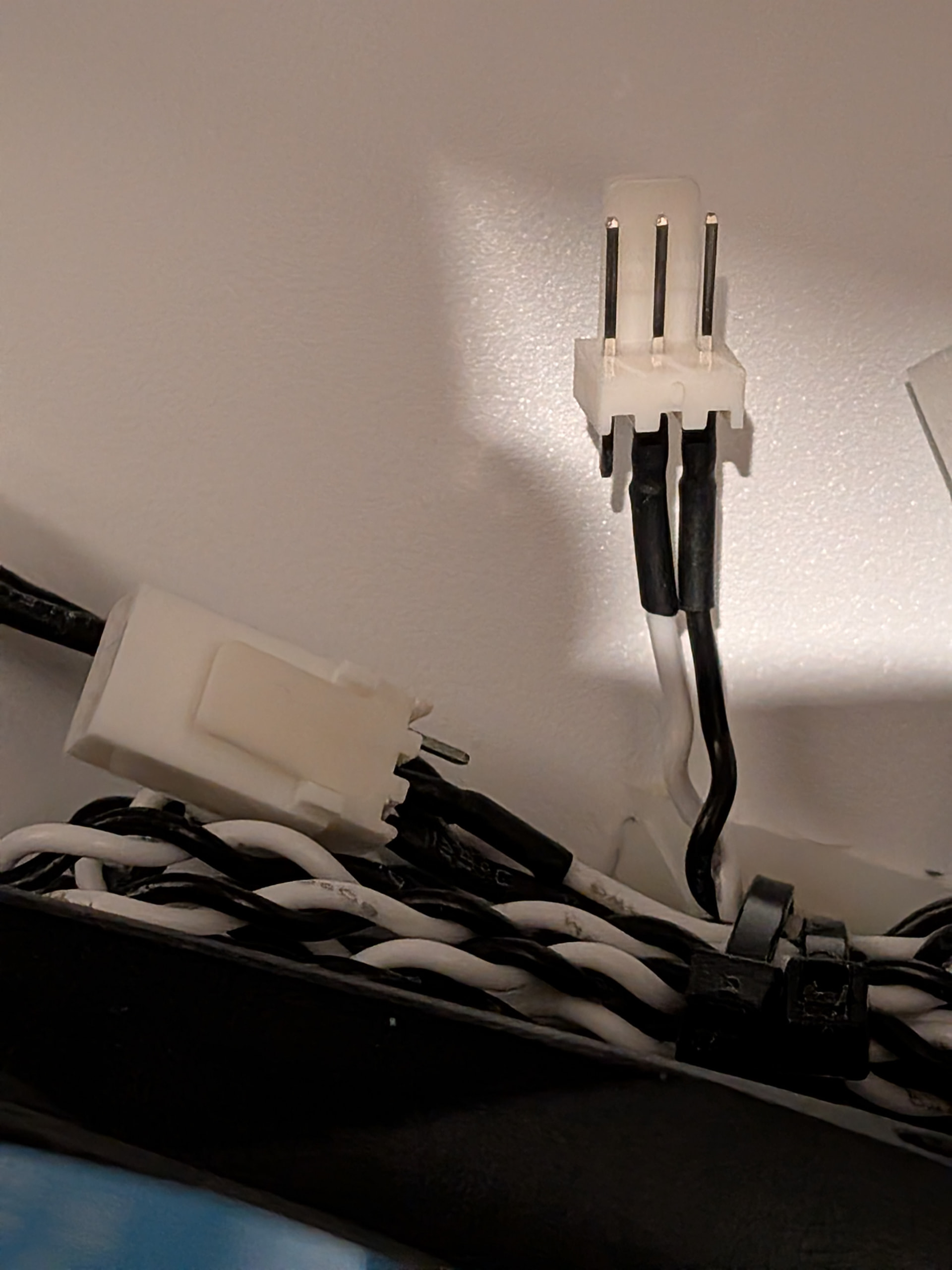
I know some people get all worked up about extra wires, but if it were me, I’d just electrical tape or cap the fan pigtails and bundle them in a zip tie and tuck them under the fan wall.
3D Printable Motherboard Fan Header Caps
2 Likes
thanks, Ya i dont have access to 3D print anything, appreciate you uploaded the files though, might help someone.
As far as access room, i’, likely going to yank the backplane and cage out to clean the case and swap all the fans over.
Someone like @Vikram-45HomeLab might even be able to sell some caps when i order the filter kit, which i also need to find out the max depth fan usable with the filter kit.
The filter kit is made for standard 25mm fans. You shouldn’t need narrower ones, nor can you probably use anything wider. You don’t need to remove the drive cage and backplae to swap any of the six fans or install the filter kit, but if you feel the need to do it for some deep cleaning, ok.
Not sure who would want worse fans (15mm), I want thicker ones, 38mm thick as i’m using all server fans now in my rack room. its acoustically sound deadened anyways.
I assumed since you had commented on this thread;
https://forum.45homelab.com/t/my-hl15-1-0-fan-filter-retrofit/3511
that you were aware of the basic mechanics of the filter kit install. As you can see from the top down photos, there is an approximately additional 3mm gap left between the fans and the drive cage. You may be able to fit 28mm specialty fans in there, but I’m not sure 45HL is going to commit to a build tolerance for that within mms. It should be clear that 38mm is a fantasy.
The normal gap between the front and the drive cage is only about 40 mm. If you want to try to use 38mm fans, and install filtering, your better bet is to just replace the fans as they are normally mounted to the faceplate and install external magnetic filters over the intake holes. I don’t think I’ve seen any posts of others installing 120x38 fans..
Ya my issue is i’m running hot, newer, high end components, not some of the really old stuff like like the prebuilds do. so i need to evacuate more and more heat as i upgrade and add more. Most HL15s i see posted here or discords etc. are prebuilds with low end bronze xeons from a decate ago, or ancient epics, or discontinued consumer stuff from generations ago. All the slow stuff is easy to cool, but it cant keep up with my tasks sadly.. Its not an 45HL problem, its a me problem.
I may have to just retire the HL15 and go with the US made competitor that supports larger fans and AIO for CPU cooling. Which sucks because i like the chassis a lot and the other one has reduced only 14x 3.5" capacity and not sure i can condense my 15x 28TB into 14x 28TB.. CPUs like Gen5 Epyc arent exactly cold chips. Add in GPUs and such and heat climbs
back in late 2023/early 2024 when we started receiving the preorders, i had built the system and it was unable to be cooled by any air coolers that were known to fit at the time. CPU sat at 100C all the time while working. I had to move it to a different server case to use AIO and now the 14900K run all core 5.8Ghz with the 2 prefered cores at 6.2Ghz and doesnt ever exceed 85C
sure i could go with 5-10yr old stuff like bronze prebuild xeon, ddr3 or ddr4, 12th13th gen intel or 2nd/3rd 16 core epyc and so on. but it will suffer from terrible performance with those.
Just overall frustrated trying to cool decent hardware in this thing. but thanks for the info.I dont know if there is better support for modern hardware with the Pro or enterprise lines, probably at least support proper server fans.
Well, I think the Beast is supposed to help with that, no? Although it still is not a case for water cooling. 140 mm fans have 36% more swept area than 120 mm fans, but 38 mm deep fans would produce more static pressure if that is important to your passively cooled components. The Beast is still pushing warmed air of the drives into the motherboard chamber. To be fair, the 45HL boxes and most of the 45Drives boxes are sold as “Storage” Servers not high-end compute servers. They do sell the Proxinators for compute, but the specs for those probably don’t mesh with your use case. If it were me and I had an apparently conditioned and sound proofed server room, I would split the compute and storage. Set the HL15 up with a simple mobo and high speed networking, or as a disk shelf, and do your compute in a case that is designed for your compute heat dissipation challenges.
Ya there’s a probably still a post from the start 2023 or 2024 where i went to had an AIO compatible fan wall fabricated, Sadly there wasn’t enough room for a radiator because how close the motherboard and cards were, not to mention the power midplane. You are right though, the added depth of the beast if i could remove the 2.5" SATA cage and gain the required room for a custom radiator support to be added. The 140mm fans as you mentioned to suffer from low static pressure, which is a needed metric for tight areas like between the drives or the radiator i would be adding.
Ya I built it originally to just host 2 game servers and plex. And the HL15 only does plex at the moment. but as most people know intel iGPU is one of the best transcoders for the price and power use. the CPU that i couldn’t cool was a simple Intel consumer cpu. And the space requirements to run something equal or better at transcoding is like a 50xx series or Pro 6000 Nvidia, which also won’t fit in the HL15 last i checked. And proxinator CPU options appear to all be epyc only with early 2000s consumer single core performance and as you realized, my tasks arent highly threaded to benefit from the high count, but low core performance.
Ya this is what I had to do, moved the game servers to other chassis with better cooling as single core performance is vital for those.45HL has made it quite clear that disk shelf is not their intended use either and no plans for a dedicated disk shelf design. While i could cobble the HL15 together into a massive 15bay shelf. It would be better to use an actual disk shelf with better density and use of rack space.
Which is also part of the frustration, i paid a fraction of current HL15 price since the many price increase over the years. And might have to toss it and go with basic cheap disk shelves to get better results. But i guess plus side is with the other option, not only will i get radiator support, they also offer NVMe support since it is 2026 and with NAND prices NVMe and SATA SSD are basically same price but 10x faster.