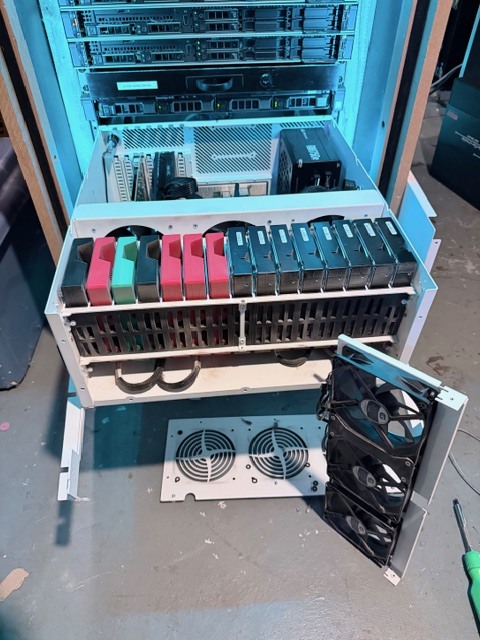
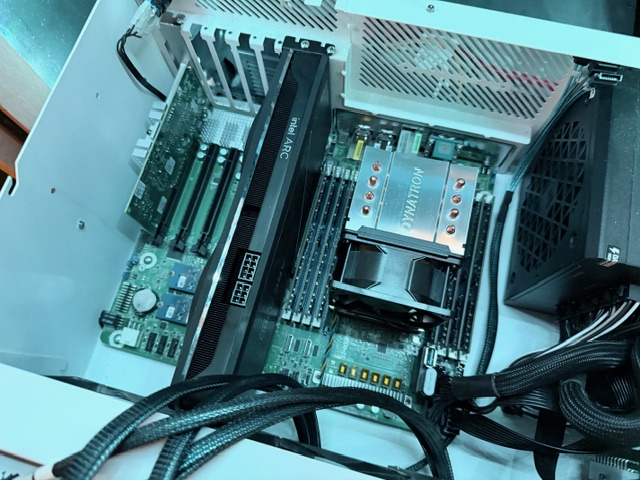
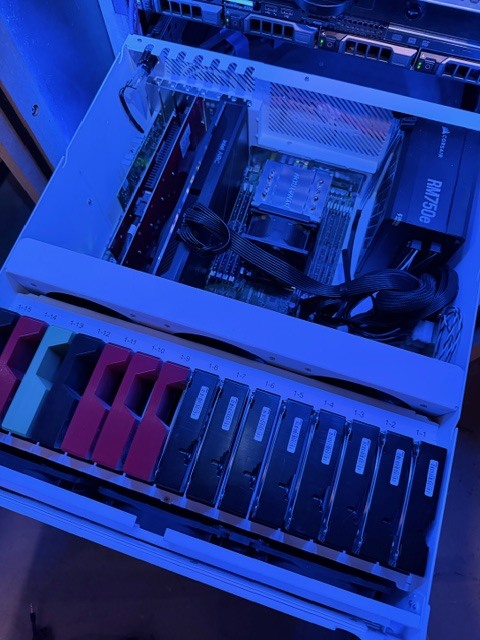
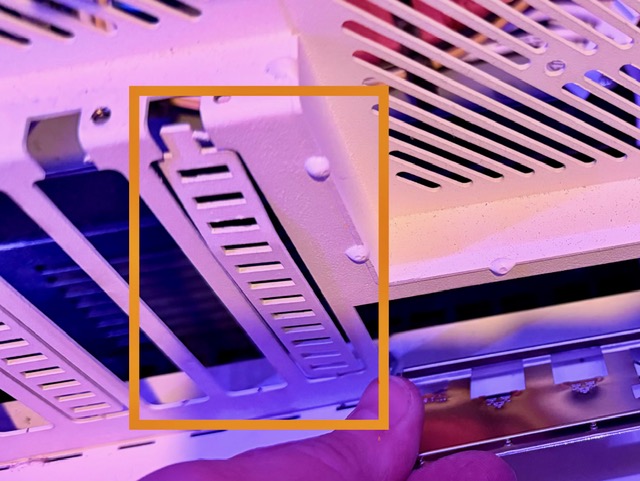
For a while now, I’ve been wanting to give my HL15 1.0 TrueNAS system the 2.0 treatment. It’s an original run HL15 from November 2023. It’s been a great system - especially as a NAS - but I’m also here for the love of the technology. So, I started whipping out the credit a few weeks back and last night finished up the upgrade.
For those interested, here are the final state specs from my 1.0 system before going through this 2.0 update. It’s fairly vanilla, but I moved up to a Xeon Silver 4214 CPU, increased RAM, added a Supermicro M.2 card, etc.
My HL15 1.0 Setup
TrueNAS Community 25.10 on 2x 128GB SATADOM’s
Supermicro X11SPH-nCTPF Motherboard
Intel(R) Xeon(R) Silver 4214 CPU @ 2.20GHz
128GB DDR4 ECC RAM
LSI SAS3008 Onboard HBA
SuperMicro AOC-SHG3-4M2P PCI-E 3.0 carrier card
1 x RAIDZ2 | 8 wide | 7.28 TiB | Seagate Exos (SAS)
2 x MIRROR | 2 wide | 3.64 TiB | Crucial MX500 (SATA)
Purchasing the 2.0 Electronics:
When it came to purchasing all the new hardware, I found it worthwhile to shop around on eBay, Amazon, etc. in addition to the 45HomeLab store which only recently started offering the HL15 2.0 electronics. Although I appreciate the a la carte options from 45HomeLab, I would have liked a bundled kit for 1.0 owners like myself - ideally with a little bit of a discount. I found the 9400-16i on 45HomeLab’s store be a very good value. eBay is full of fakes and 45’s pricing for new 9400’s came in under reputable sellers such as The Art of the Server for used cards. For everything else, I ended up buying elsewhere and saving a good amount of money as a result.
Essential Components:
- ASRock ROMED8-2T Motherboard
I bought my motherboard from Newegg to save about $100. This board seems to be on the move a lot so deals are coming and going, but I’ve seen new boards sub $700 on eBay as well. - AMD EPYC 7282 CPU
I would have been totally happy with the EPYC 7252, but I found a listing on eBay for a new and unlocked EPYC 7282 for $121. I’m not sure it’s really new, but it’s processing like a champ so I’ll take the better CPU. - Dynatron A35 SP3 Cooler
I considered going with something like the Noctua NH-U12S TR4-SP3 or Noctua NH-U9 TR4-SP3, but I couldn’t see getting double the benefit for double (or more) the price. I’m actually really impressed the Dynatron A35. The fan on it was really quiet; way quieter then any other fan I have in my rack. - LSI 9400-16i HBA PCIe Card
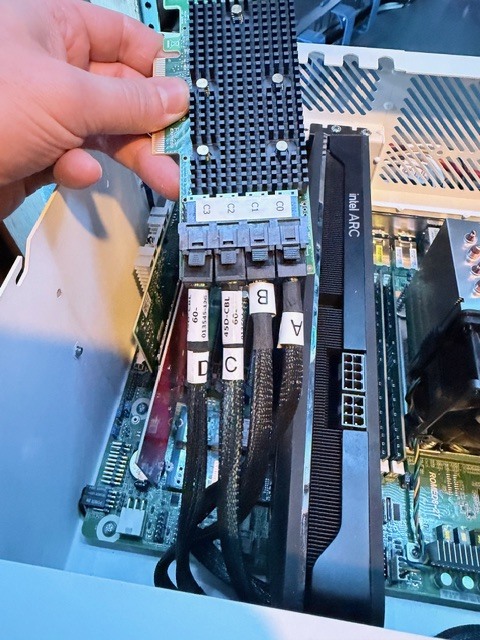
As I said above, a very good value from 45HomeLab’s store. The firmware shipped on it was older but it was easy enough to update. - SFF 8643 → SFF 8643 Cables (2x)
As a HL15 1.0 owner, you’re going to need two of these cables to replace the original SFF 8643 → SFF 8087. I initially missed this. I ordered all my other parts and went to do the upgrade when I was reminded that the original HL15 used two different cable types for the backplane. Drives 1-8 used SFF 8643 → SFF 8087 data cables to use the X11SPH onboard SATA ports. Drives 9-15 used SFF 8643 → SFF 8643 cables to connect to the SAS controller on the motherboard. The LSI 9400 has four SFF 8643 connectors. I ended up getting cables on Amazon made/sold by 10GTek - mostly for the overnight shipping.
Extra Components:
-
Intel Optane M10 16GB M.2 (2x)
I decided to move away from the SuperMicro SATADOM’s and use two Optane M.2 drives for my boot drive. The 16GB M10’s are crazy cheap and that’s more then enough space for TrueNAS. Of course, you can use the original 1TB M.2 boot drive from your HL15 1.0. I repurposed mine a while back as it felt wasted with TrueNAS as a boot drive. -
Intel X520-DA2 SFP+ PCIe Card
I’m all in with SFP+ and DAC networking in my homelab. I was slightly disappointing the ROMED8-2T didn’t come in a SFP+ variant. I thought this was a great offering with the original HL15. I actually had a spare X520-DA2 card on hand so I used that for networking in my build. I’m on the hunt now for X710-DA2 or maybe even a XXV710-DA2 card. -
Startech DUAL-M2-PCIE-CARD-B
I don’t know why but I found this card way cheaper on Amazon or eBay. Seems like everyone else has it half the price or better compared to 45HomeLab. $155 is an outrageous price for this card. -
Startech QUAD-M2-PCIE-CARD-B
In fact, if you’re going to spend upwards of $150 for a NVME carrier card, you might as well get the QUAD version for future expandability.
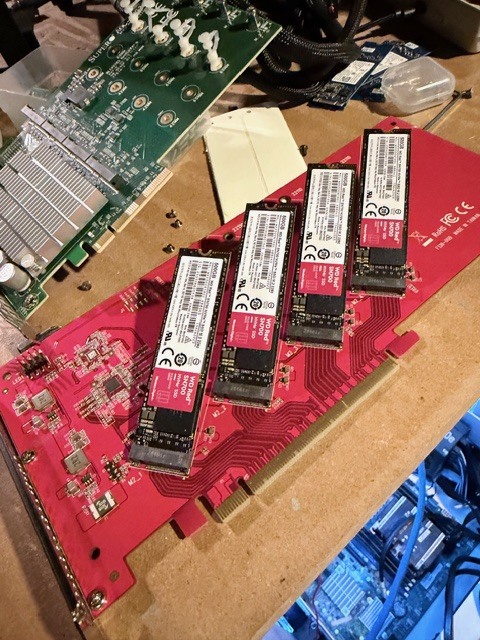
Anything else should have been provided with the HL15 1.0. That includes…
-
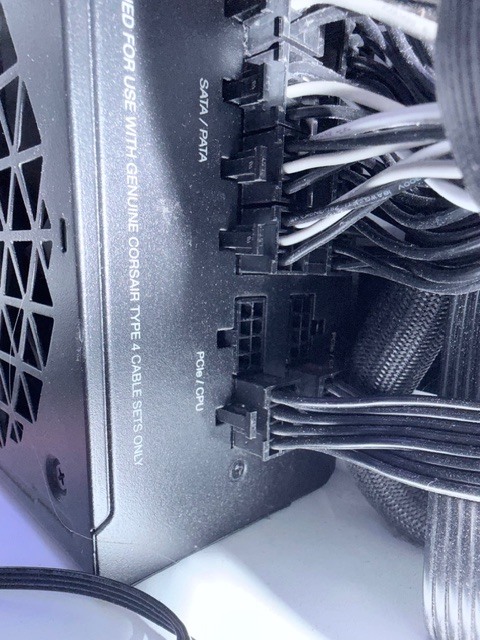
Corsair Type 4 CPU 4+4 Cable
The ASRock Rack ROMED8-2T motherboard has an extra ATX12V connector (4 pin) compared to the X11SPH. 45HomeLab included all the unused PSU cables with my HL15 so I had this cable on hand already. I assume 45HomeLab has continued this practice. Just need to plug the cable into the open PSU port and run it the motherboard.
The Build:
Upgrading the HL15 components was pretty much a standard affair since it uses standardize equipment. I did find two noteworthy call outs:
-
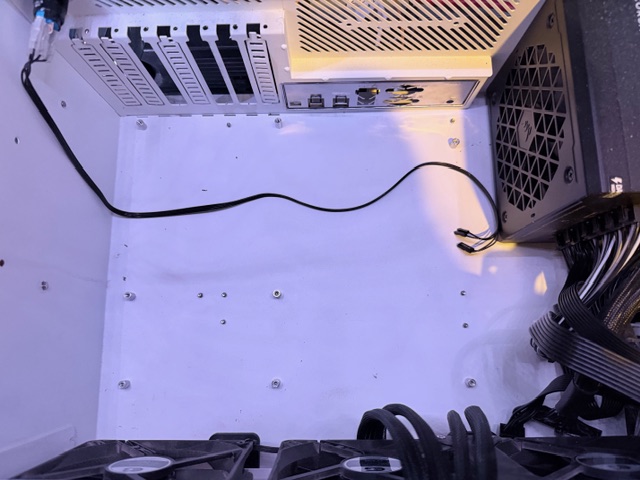
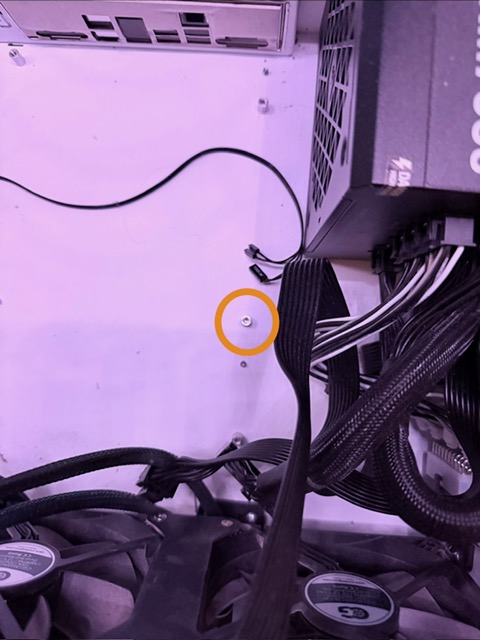
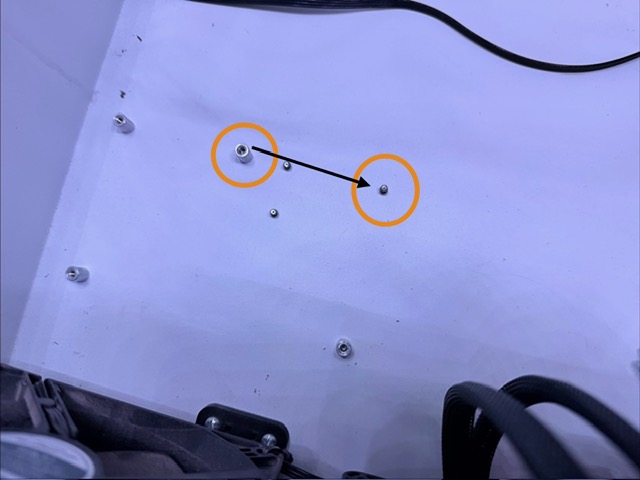
The ROMED8-2T motherboard has one less mounting screw then the X11SPH that needs removed. It also has a different position for one of the standoffs. Ensure you make these adjustments or you might find your new system grounded in places you don’t want it to be.
-
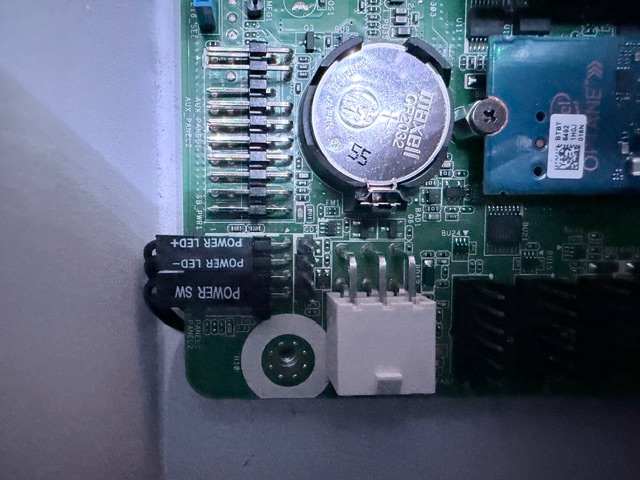
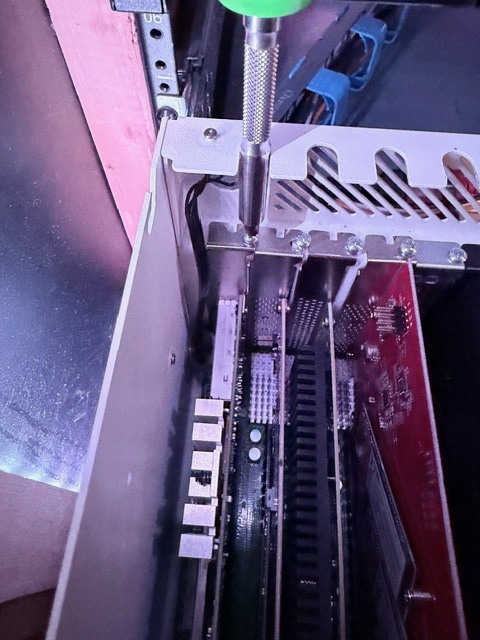
The Power Switch / LED ended up being a little annoying. First, the connector on the ROMED8-2T is at 90 degrees so plug the power switch cables before screwing down the board. Second, the switch actually interferes with screwing down PCIe cards in the last slow. Thankfully, you can loosen the retention nut and push out the switch to get a screw driver in there.
All Done!
Tear down and rebuild took a little over 2 hours in total. TrueNAS is back up and running. Here’s some more pictures of that process.