Like the Subject already states, I seem to be unable or making some error in enabling IOMMU on my HL15 or in the Proxmox install. My Goal is to run Proxmox and pass on a HBA to a VM running TrueNas scale.
I am using a:
-
System: 45 Drives HomeLab 15 (HL15 fully prebuild)
-
Motherboard: Supermicro X11SPH-NCTPF
-
CPU: Intel Xeon Bronze 3204 CPU
-
OS: Proxmox Virtual Environment 9.0.11
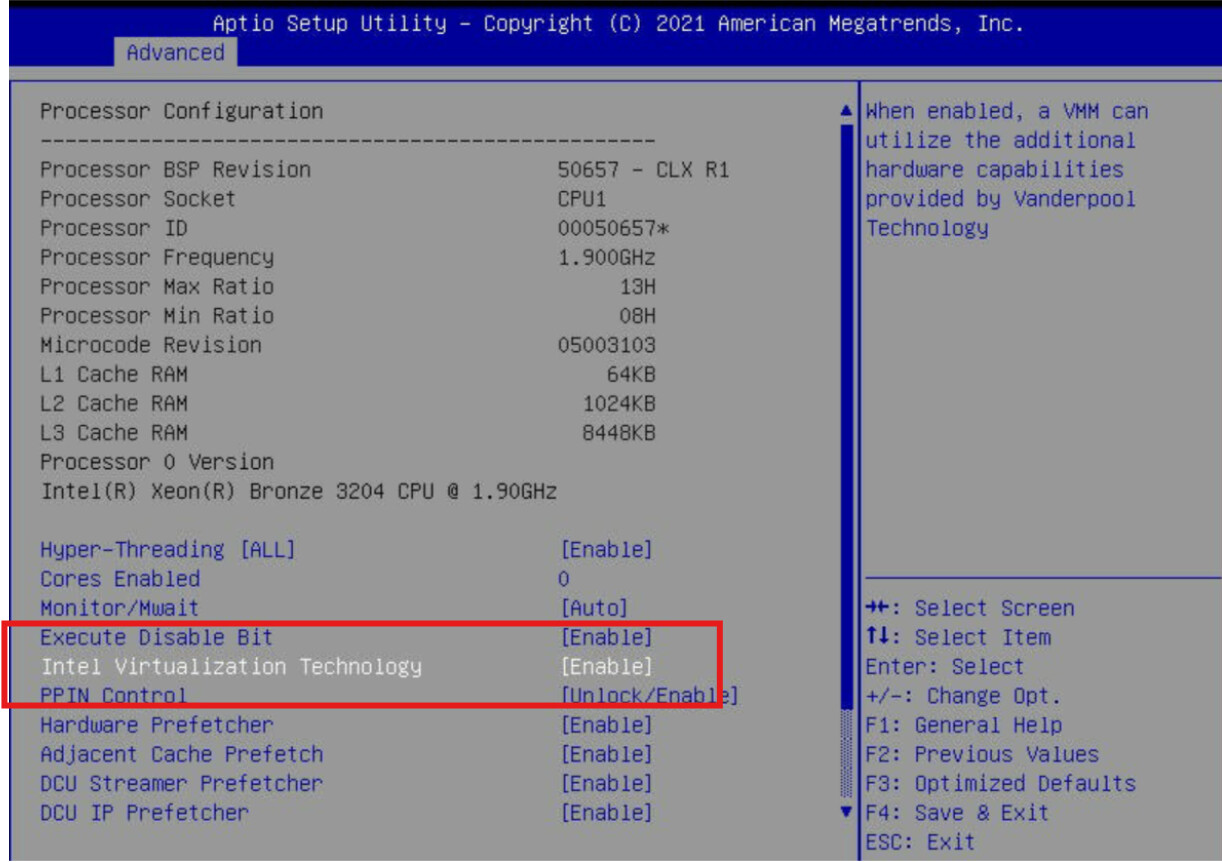
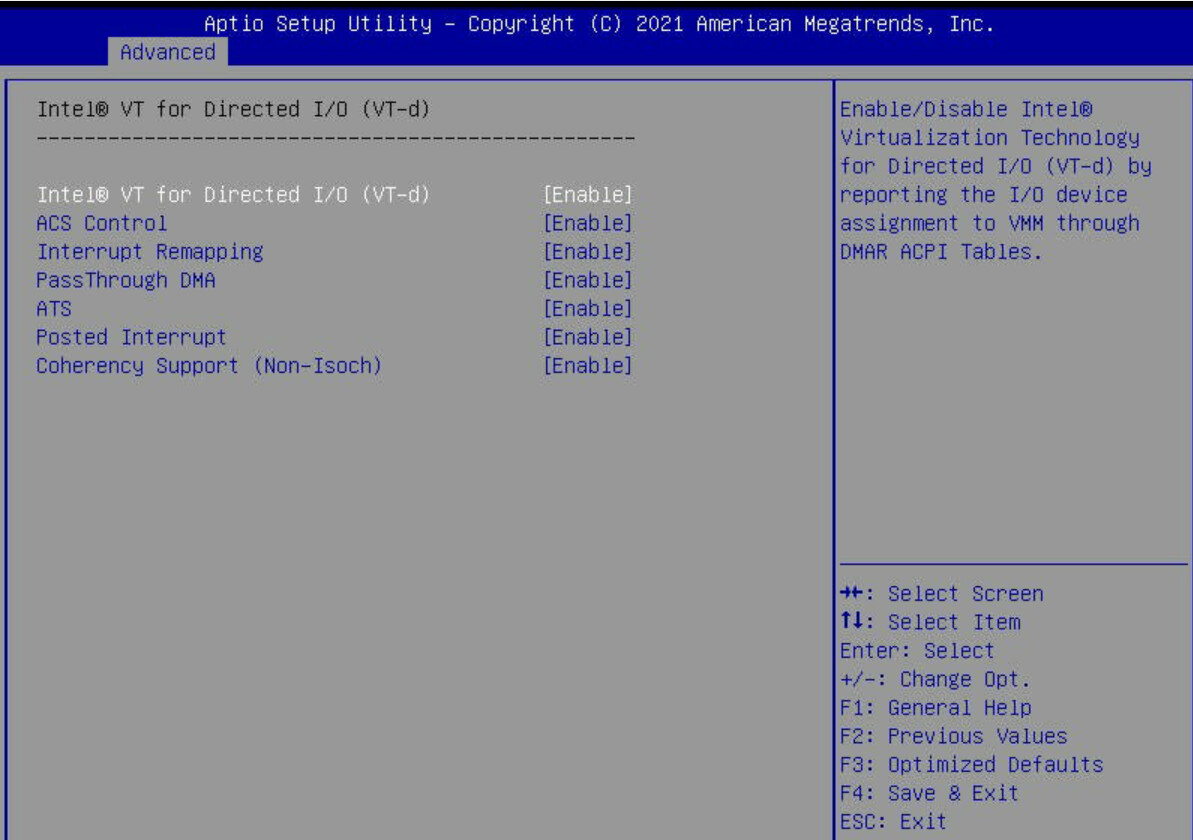
So far I have checked these Settings in Bios
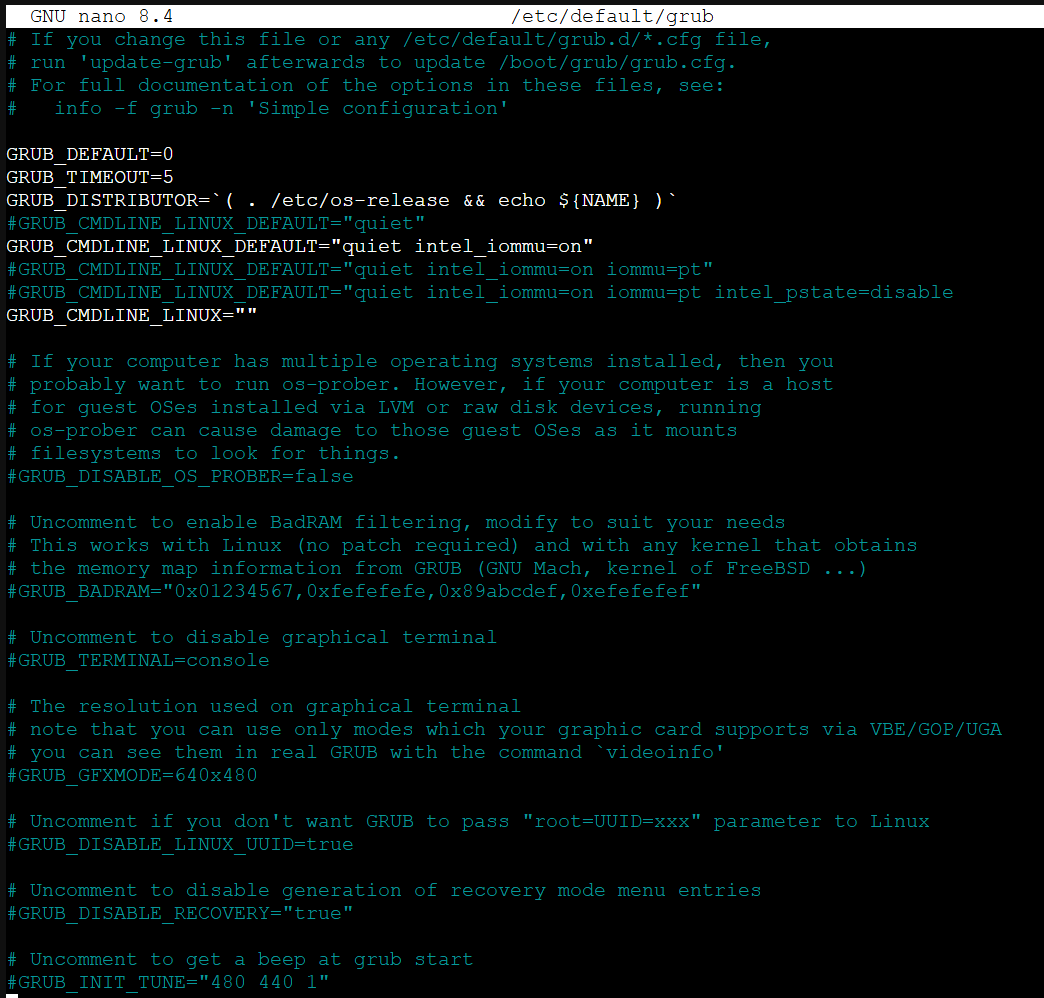
And modified the Grub Config:
You see “intel_iommu=on” is in there as well as 2 Lines commented out with “iommu=pt” and “intel_pstate=disable”.
Whatever Line I select non of those 3 seem to get it working after “update-grub” and a reboot.
" dmesg | grep -e DMAR -e iommu " does not list anything.
" dmesg | grep ‘remapping’ " does not list anything.
I seem to bee running out of ideas what might cause this. Does someone of you have any sugestions to troubleshoot this?
Can you confirm you’re booting legacy BIOS and not UEFI? If you are using UEFI to boot the system then you need to put the kernel parameters into /etc/kernel/cmdline instead of the grub file.
2 Likes
Yup, if you’re booting UEFI, you are using systemd-boot, not GRUB.
Here are my notes for enabling IOMMU on my RomeD8-2T, though I’m on AMD. Not sure if your BIOS also needs to enable IOMMU separately from VT-x/SVM, as mine does, or if it’s part of enabling VT-x.
BIOS:
Advanced > CPU Configuration required for AMD virtualization in Proxmox/KVM. For Intel CPUs, the equivalent setting is called Intel VT-x
Advanced > AMD CBS > NBIO Common Options
-
IOMMU → Enabled
-
ACS Enable → Enabled Ensures clean isolation of devices into separate IOMMU groups.
-
PCIe ARI Support → Enabled Allows multiple functions (like SR-IOV VFs) on a single PCIe slot.
-
Enable AER Cap > Enabled Advanced Error Reporting - detect, log, and optionally recover from PCIe errors (both correctable and uncorrectable), and record in system’s error log
Proxmox:
for UEFI, you need to edit the Proxmox kernel config file at /etc/kernel/cmdline
for AMD, add amd_iommu=on iommu=pt
for Intel, add intel_iommu=on iommu=pt
then update: proxmox-boot-tool refresh
2 Likes
By Now I seem to have got it Figured out. Idefinitly was using Grub like i tought an am e step further.
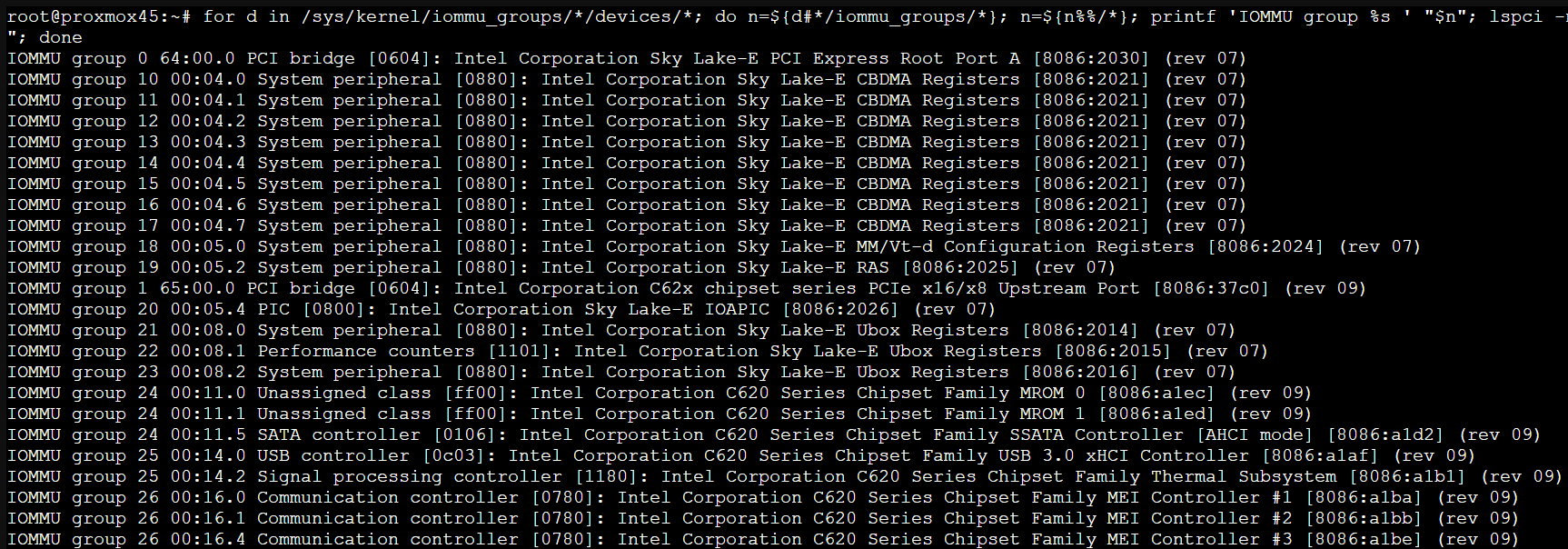
for d in /sys/kernel/iommu_groups/*/devices/*; do n=${d#*/iommu_groups/*}; n=${n%%/*}; printf 'IOMMU group %s ' "$n"; lspci -nns "${d##*/}"; done
Results in a Listing of IOMMU group numbers and the Devices.
Thanks to everyone for Help, tips Suggestions and fresh Coffee