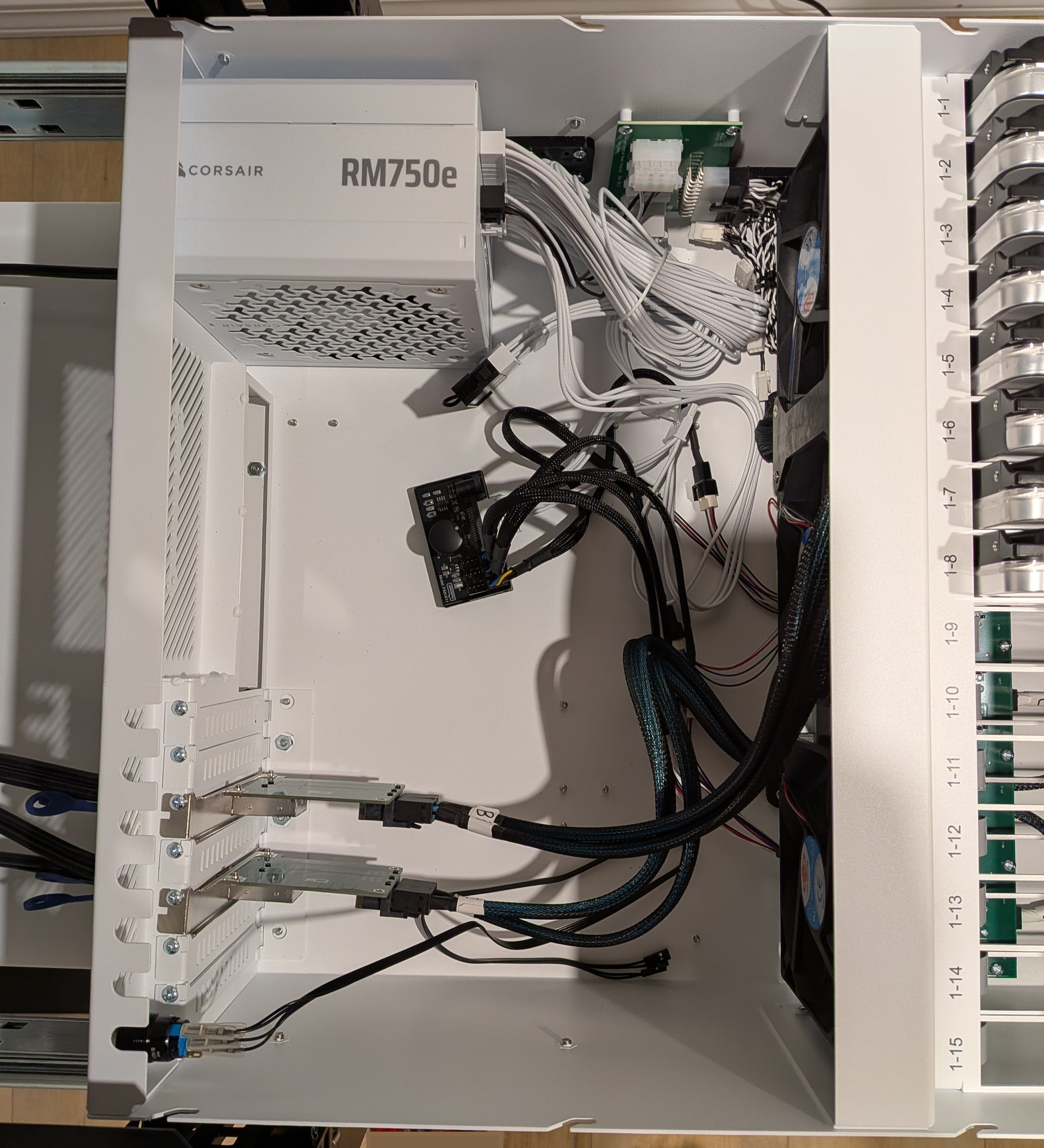
I needed to make some changes to my main NAS that I couldn’t accomplish easily in the one chassis;
- Replace a disk that is failing
- Change the ZFS VDEV layout
- Encrypt the drives for easier disposal
- Increase the pool capacity with larger drives
I could have set up a full second HL15 for this. I do have 10G networking that would handle the replication reasonably well, but I preferred to do this with direct attached drives if possible. So I bought a few components to turn a second bare HL15 chassis into a simple disk expansion;
- 24-Pin ATX Power Supply Jumper Bridge
- 4 Pin 12V PWM Fan Speed Controller For 6 Fans
- (2x) Dual Port Mini SAS HD SFF-8644 to Internal SAS HD SFF-8643 Adapter
And the following to connect it to the main HL15;
This setup is dependent on being able to have two PCIe electrical x8 slots. In my case I have a Proart Creator motherboard that allows splitting the bandwidth of the x16 slot with a second slot. Of course you have a lot more lanes on the full build Epycs.
I plugged the ATX jumper into the 24-pin from the PSU, the fans into the fan speed controller along with a SATA connector for power, installed the two SFF-8643/8644 adapters in the PCIe slots and connected them to the backplane cables, and I think that was it. It just turns on via the PSU switch; the case power switch/LED isn’t connected and there’s nothing fancy to trigger powering it on and off concurrently with the main HL15.
I installed the 9305-16e into the main HL15, connected the main system to the Tinman with the SFF-8644 cables (the adapters were a bit fidgety to get the cables locked in), powered everything on and it worked.
I do have a spare motherboard/cpu/ram that I’ll put in the chassis eventually to make it an independent backup server, but this seemed like an easier setup to get my pool refactored.