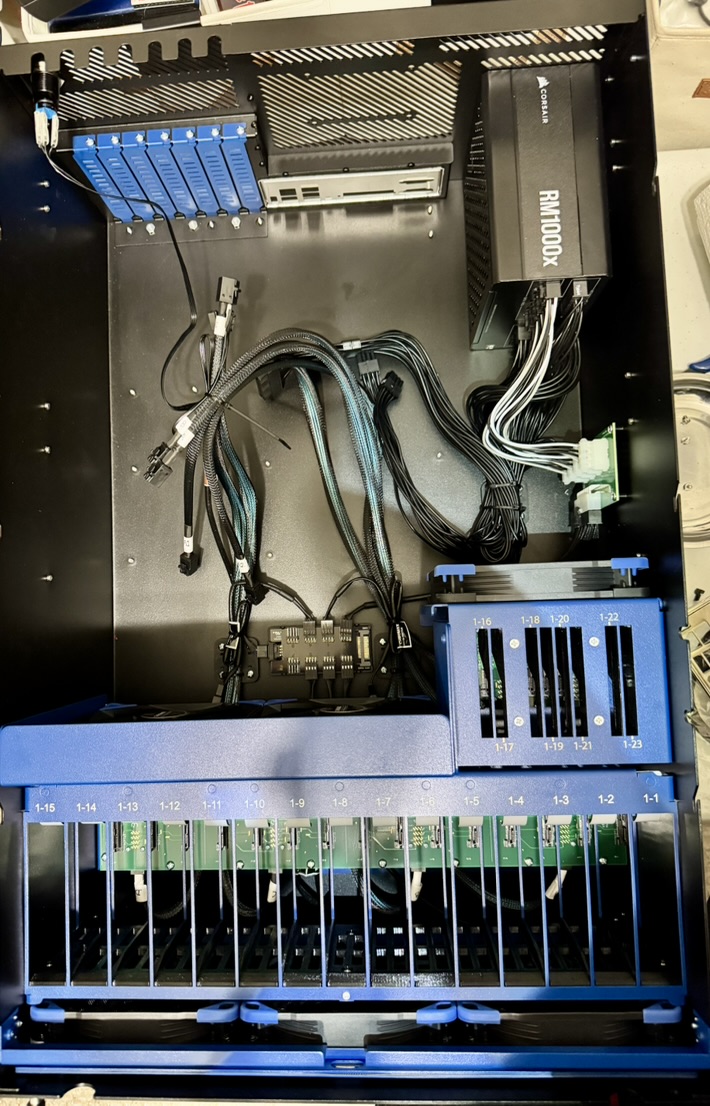
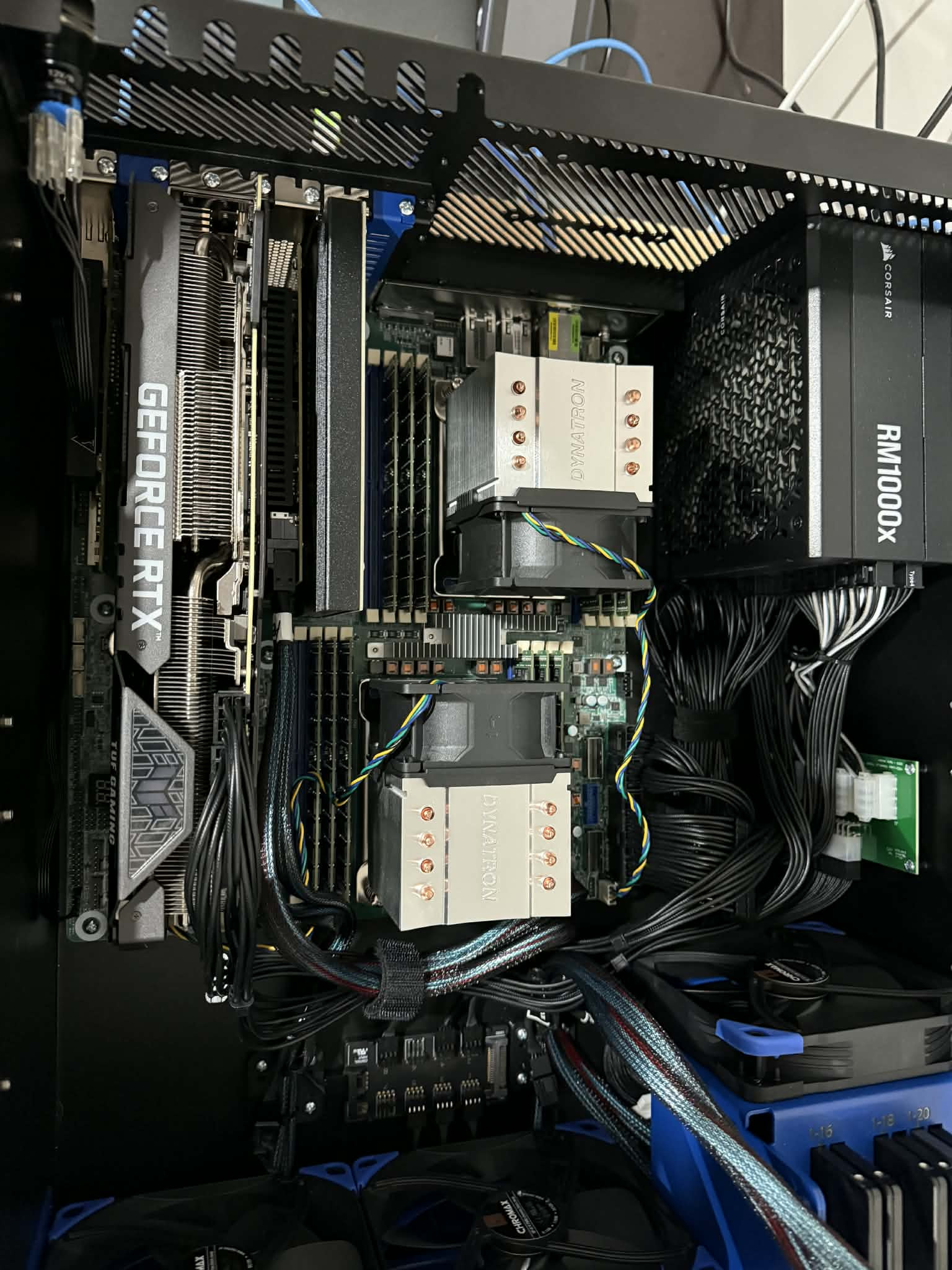
I received my HL15 Beast about two weeks ago and am just getting around to posting. I just purchased the chassis, and it came with everything you see. Power Supply, Noctua fans, Fan hub, Cables.
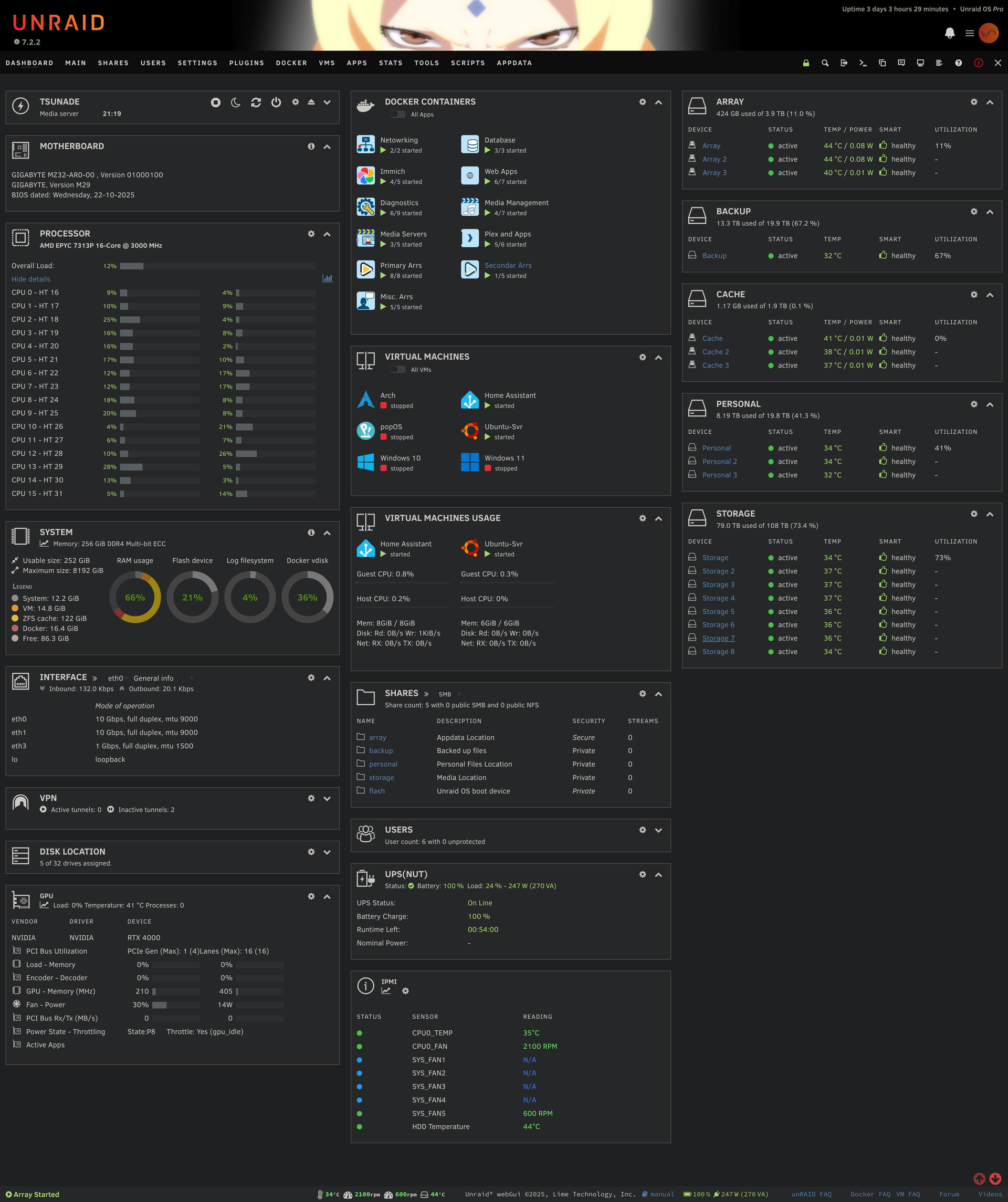
My first impression is that this is a really well built case. I wasn’t sure what to expect, and I will say I am pleasently suprised. I purchased this chassis to consolidate two servers. My main one that is running Unraid, in a Supermicro 846 chassis, and a Dell r330, which houses my ssds.
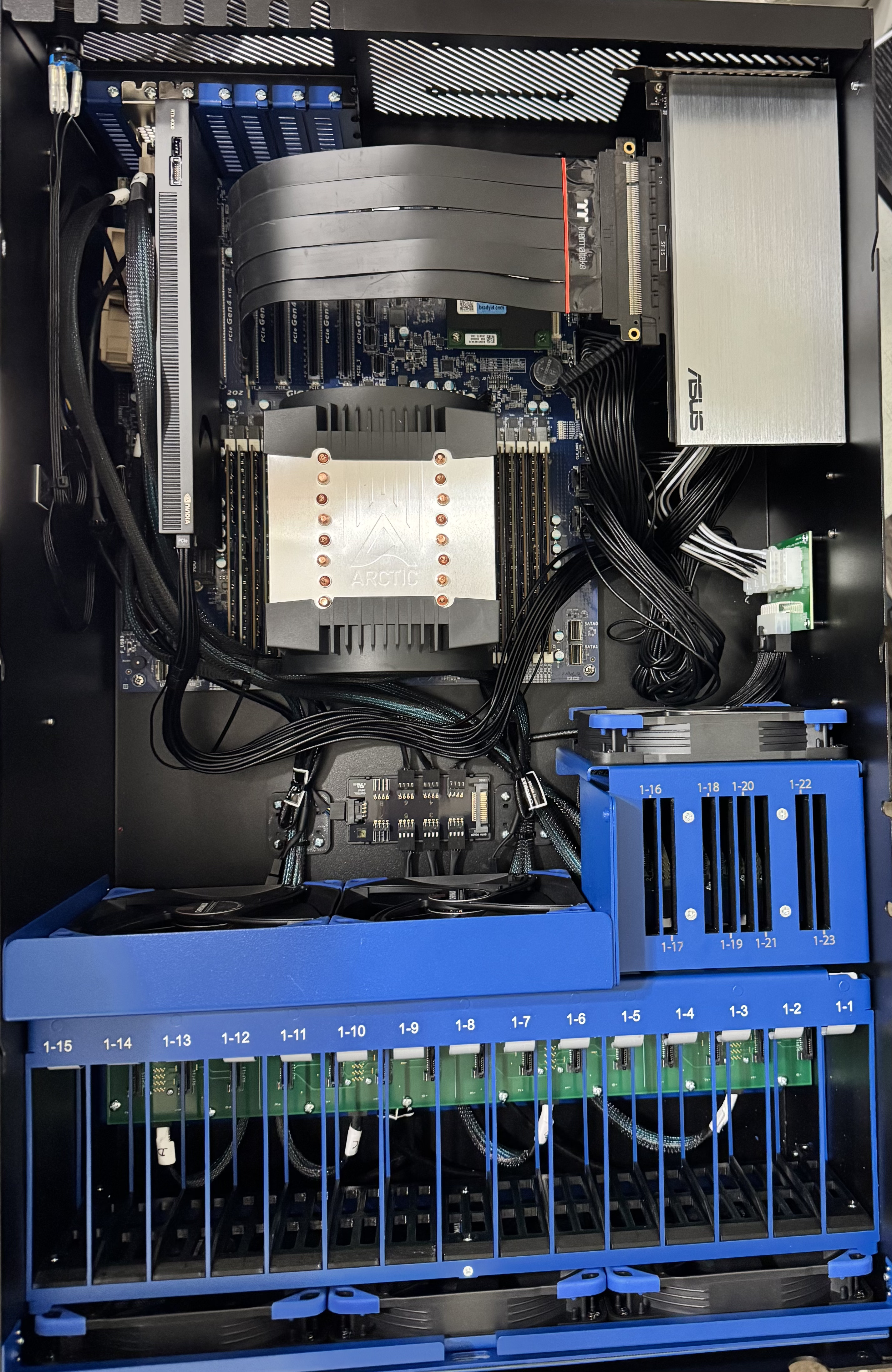
On the picture below this first one you can see my hardware that I am using.
Gigabyte MZ32-AR0 v3 motherboard (E-ATX)
256gb Ram
Epyc 7313p CPU
I didn’t take the pictures of my drives in the server but intend on doing so this weekend when I actually pull the ssds from my Dell r330. One thing I did notice and it’s nothing with the case, but the EXOS drives are loud as hell, and the funny thing is that I never heard them in the Supermicro Chasis.
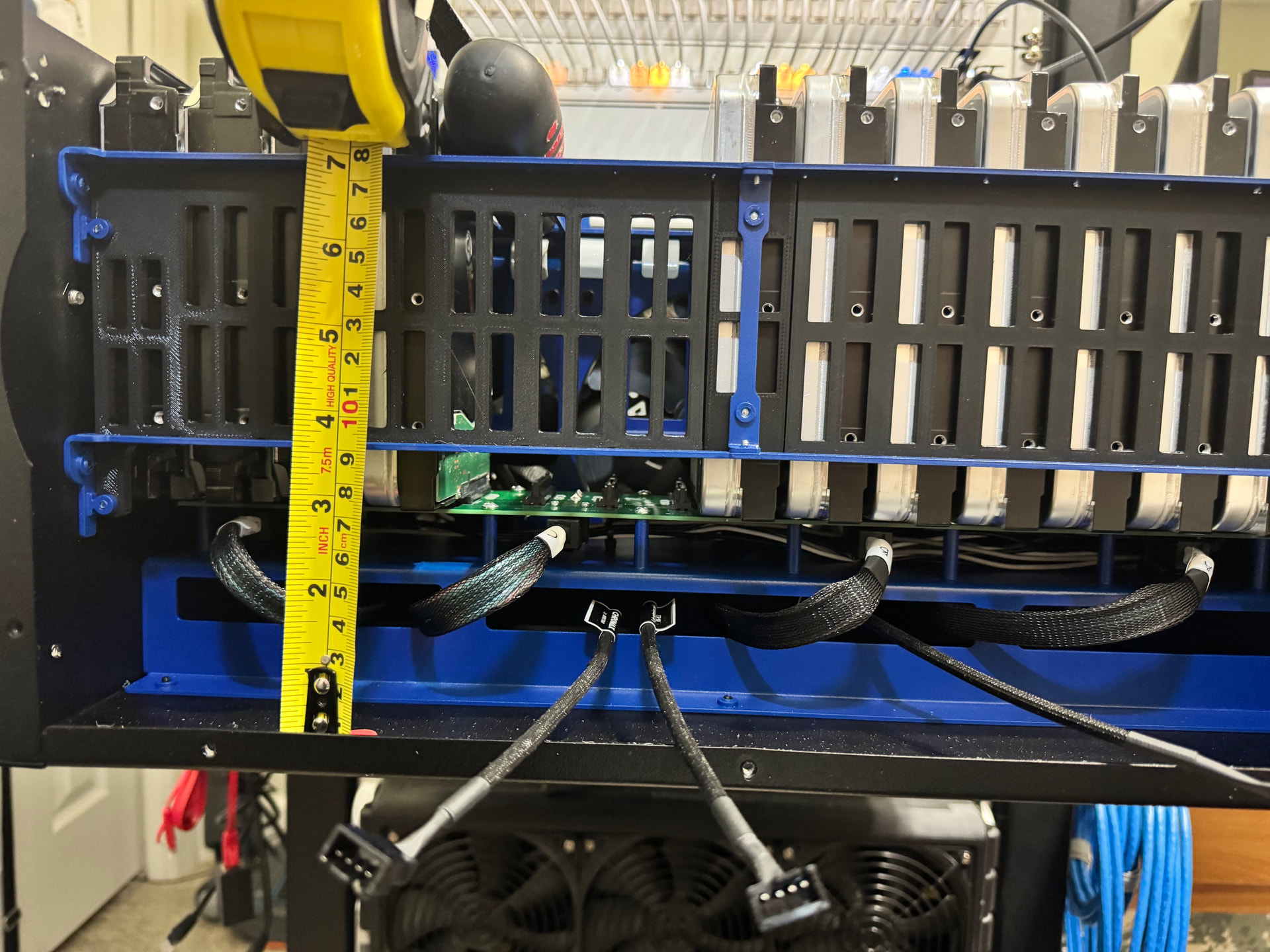
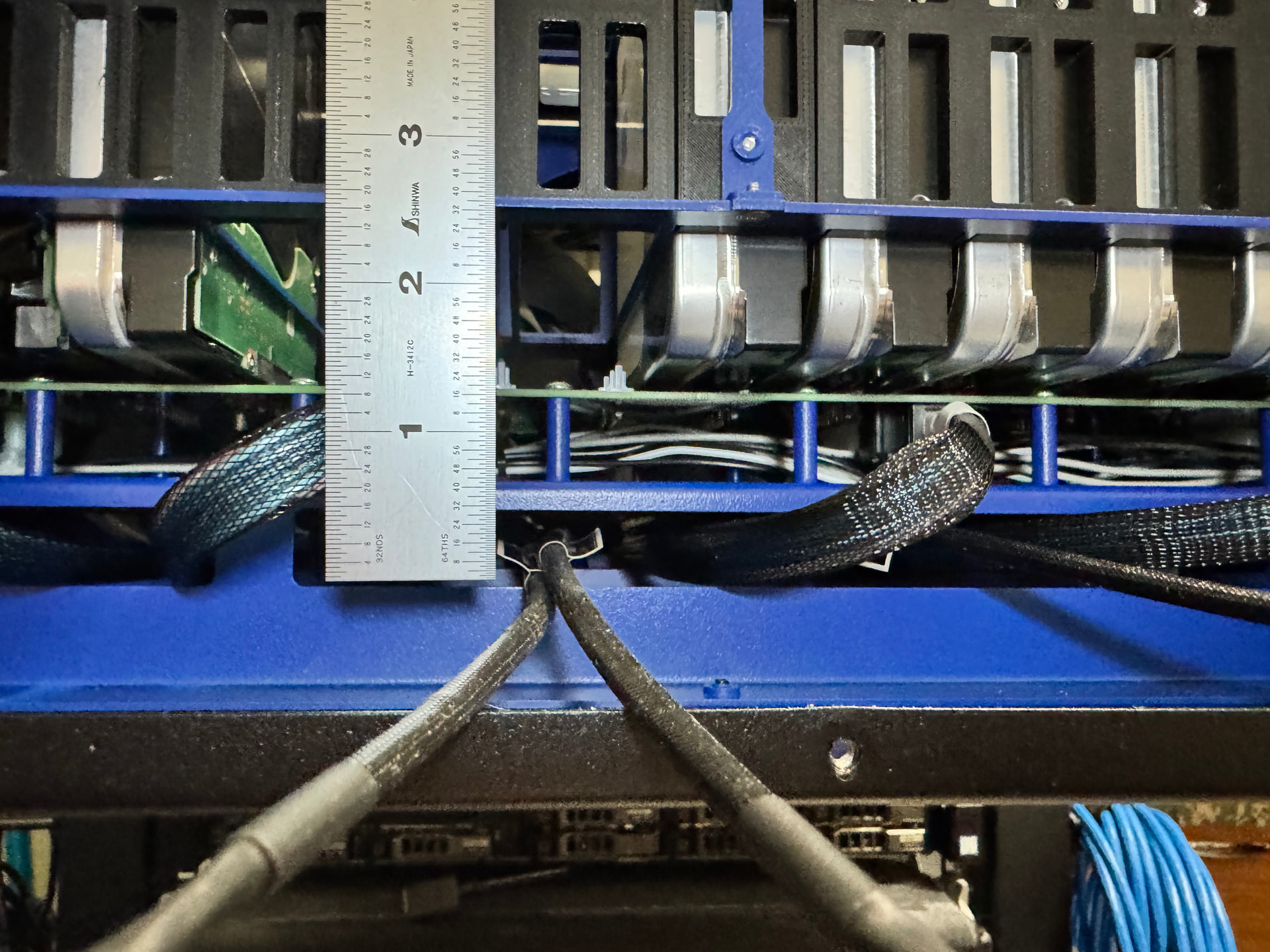
Looks interesting. If you get a chance, could you unscrew and drop down the front to show the space under the backplane, perhaps with a ruler so we can see the cabling and the amount of height under it?
How easy does it seem like if someone wanted to remove the SSD backplane and bracket? Is that sort-of separate and un-screwable, or is it connected without screws to rest of the metal that goes across the chassis?
Is the placement of that GPU over the PSU a hack, or is that an intentional horizontal PCIe slot built into the Beast back plate? I can’t tell from the official photos.
Perhaps that was because the Supermicro fans were loud as hell?
Anyway, this seems to be a comment others have made on the 45Drives chassis design, although I haven’t noticed it personally. My servers with spinning drives are in a separate closet, though. Some people have tried to line the case with sound dampening mat fabric used in autos, but without much luck. I’m not really sure why the chassis would amplify, or seemingly amplify, the drive sound more than other chassis. Perhaps it isn’t echoes, but that drive vibrations are transferred to the chassis in a different way? The drives seem to go in the slots tightly, so I don’t think they’d be rattling around more than drives screwed into caddies.
That isn’t a gpu that is an ASUS Hyper M.2 X16 PCIe X4 Expansion Card. I had to use a thermaltake pci-e extender. This particular motherboard has the memory right behind the pci-e slots and long cards won’t fit, so I had to do it this way.
When I get a chance I will remove the front and measure with a ruler.
Regarding the amplification of the noise. The way the drives sit in this chasis, as you mentioned I believe the vibrations from the spinning helps with that. I have to take a closer look at it when I have a chance. Hopefully I will have time this weekend.
Oh, so they’ve got some sort of joist structure under there and it isn’t really usable space? I thought it might just be a flat platform raising the backplane 1U. Thanks.
I have a 3090 in mine and lose a few of the PCIe slots to it currently. How much work was involved in the vertical mounting and is it resting on the PSU? Currently looking at 3D printing some kind of bracket to solve my issue.