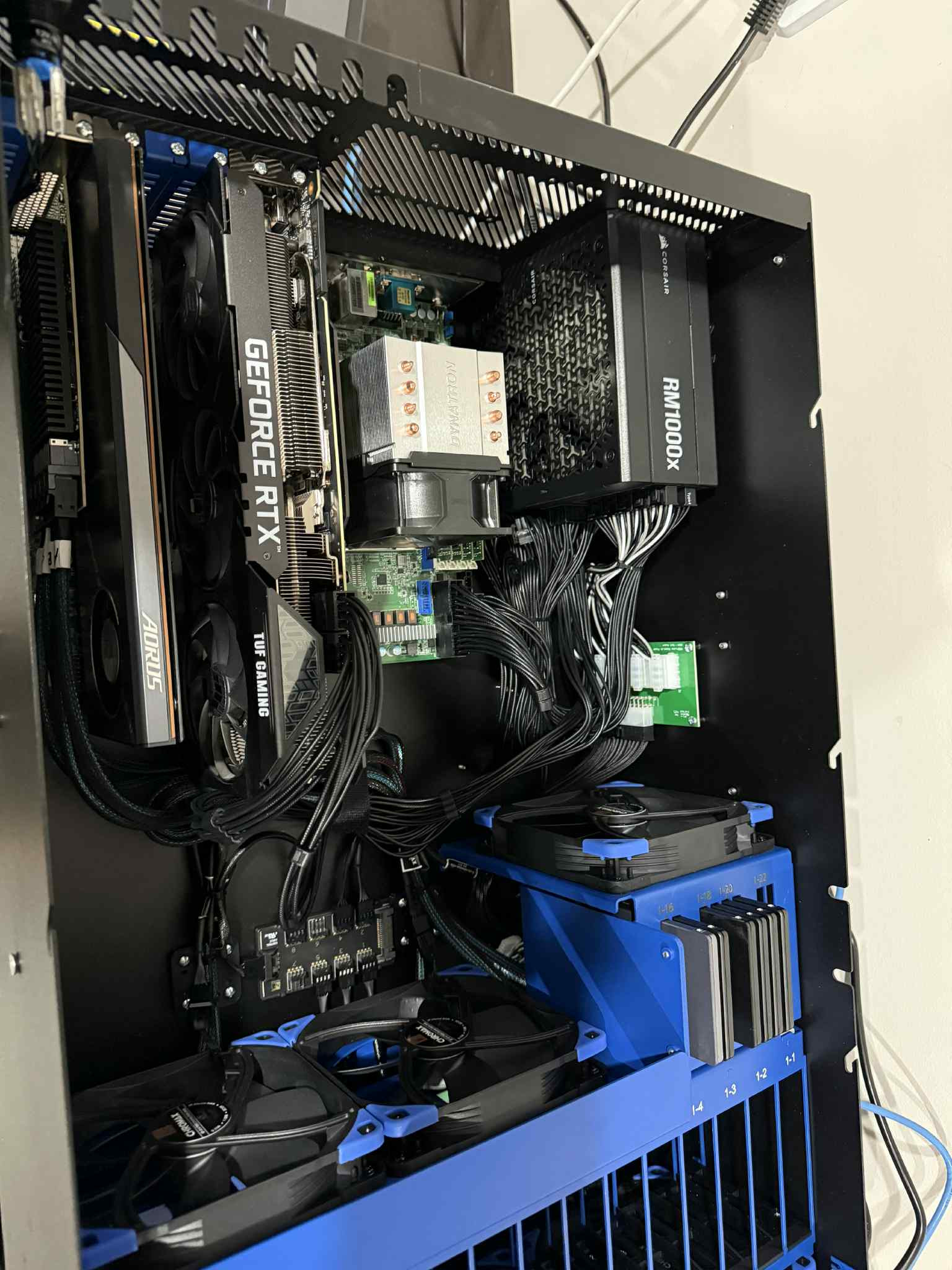
I’m excited about the new HL15 “Beast”- in particular the addition of the SSD slots, which means I can leverage the pile of 2tb SSDs I already have. Before I go through the rigorous expense justification process (read: my wife) I have a few questions I’m hoping to get answered first. I’d be going with the ASROCK variant with the EPYC 7452.
First question is on the memory- I have some older (and slower) DDR 4 from a Dell Precision 7820 that I’d like to use- it would save me a LOT of money if it would work. It is Hynix HMAA8GL7MMR4N-UH, which, from what I can tell, is DDR4 LRDIMM @ 2400MHz.
Second question is for graphics cards. I have two nvidia RTX-A4000 cards that I’d like to use in there as well. They max out at 140w each and take the 6-pin, but I only see one 6-pin graphics power port. I see it also has the ATX 12v port but not sure if the pinout would work. I could probably live with just one of the cards but would prefer both.
Third Question: (and I’m not 100% sure how to ask this, hopefully it makes sense to someone)
If I set this up as a proxmox virtualization host how do the various storage interfaces present themselves to the OS (so I can determine what I have available to pass through to proxmox VMs)? For example, I see that it has an LSI 9400-16i as the HBA card- would that get passed through as just one device? What about the SSDs?
Second answer The RM100x should come with as many as six 6+2 PCIe cables. 45HL includes all the cables and such from the retail package even if they aren’t used in the full build. They may not include the bag or case badge, I don’t remember, but you get all the cables.
Third answer You will be able to pass through two separate devices, one for the 9400-16i and some sort of “SATA/AHCI Controller” associated with the two Mini-SAS HD connectors. You have to go through all the prerequisite Proxmox setup for PCIe Passthrough with the correct SVM, IOMMU and ACS settings in UEFI and GRUB, etc. My understanding is the “SATA/AHCI Controller” will also pass through the two m.2 slots if you happen to have SATA SSDs in them instead of NVMe SSDs. I think SATA m.2 drives are less common these days, but I thought I’d mention it since you are talking about reusing stuff, I’m guessing you probably don’t wat to pass those through, and leave them for the OS.
Have been going through a similar setup on mine which arrived last week. I have installed a 3090 using 2 of the PCIe power connectors with no issues. All cables for that were included in the box when the device shipped.
HBA controller is physically connected to the 15 3.5” bays at the front and the SSD’s connect through the motherboards SAS connectors. HBA card is easily passed through to a TrueNas VM within Proxmox and I remember seeing the motherboard SAS/SATA controllers in the list, so I don’t think you would have issues there.