Hello There,
First time user of 45Drives product and I have just received my HL15 2.0.
I have connected and booted up in it’s factory delivered state (no spinning rust drives installed at the moment).
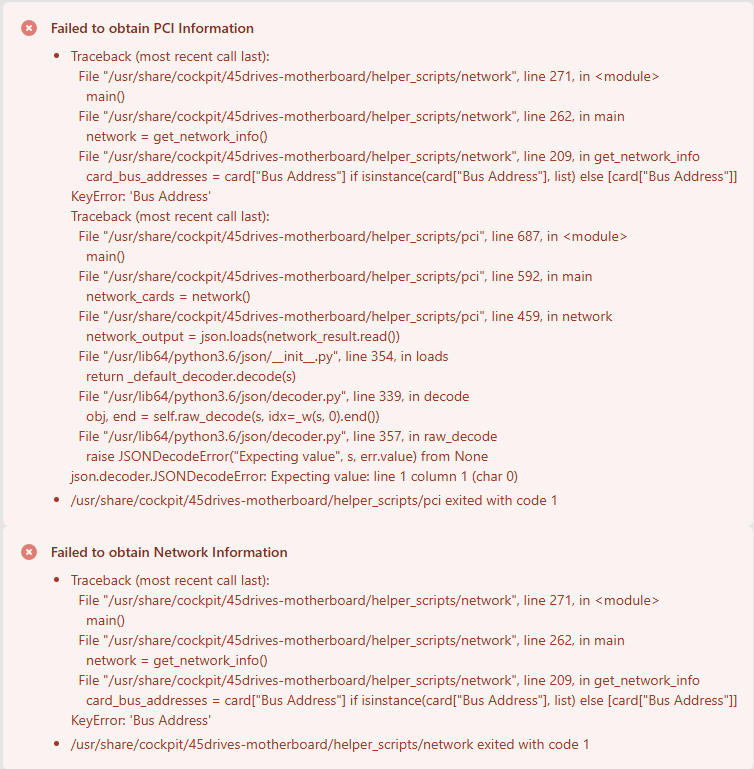
Browsing through Houston and when I click on the ‘45Drives Motherboard’ menu option I get this screen: -
Is this normal? Is it becasue of no drives installed as yet?
Just checking.
Thanks in advance
1 Like
@JerryAldini67 Welcome to the forums!
I suspect the errors are due to a the motherboard in the HL15 2.0 not being supported yet with the version installed. The repo at GitHub - 45Drives/cockpit-hardware: A cockpit module for 45Drives storage servers was updated a month ago to support the HL15 2.0 motherboard, but I don’t see a new release with an updated package file. I believe that has to happen before you’ll be be able to update your packages via dnf.
3 Likes
Thanks rymandle05 for the reply.
I have the same issue on mine.
Hey @Bonnifur
If you do a dnf update -y in the cli or update through the software updates page, does the issue still occur?
@Braeden-45Drives
I did all the updates through the check for updates in the UI, it did around 100 updates, and still showing the same.
I will try and run that command once I get home to see if that changes anything.
Hey @Bonnifur
Thanks for the Info!
I was talking to another specialist and they had another customer with the motherboard tab issue.
I sent this to RnD to see if there is a fix for that so hopefully it will be resolved soon!
So after talking with support I was able to get this resolved. What we did is the following:
we downloaded the rocky8 preconfig script using:
-
curl -sSLO https://scripts.45drives.com/rocky8-preconfig.sh
-
chmod +x rocky8-preconfig.sh
-
rocky8-preconfig.sh you could also use bash rocky8-preconfig.sh
After updating it preformed the updates needed and fixed the issue.
3 Likes