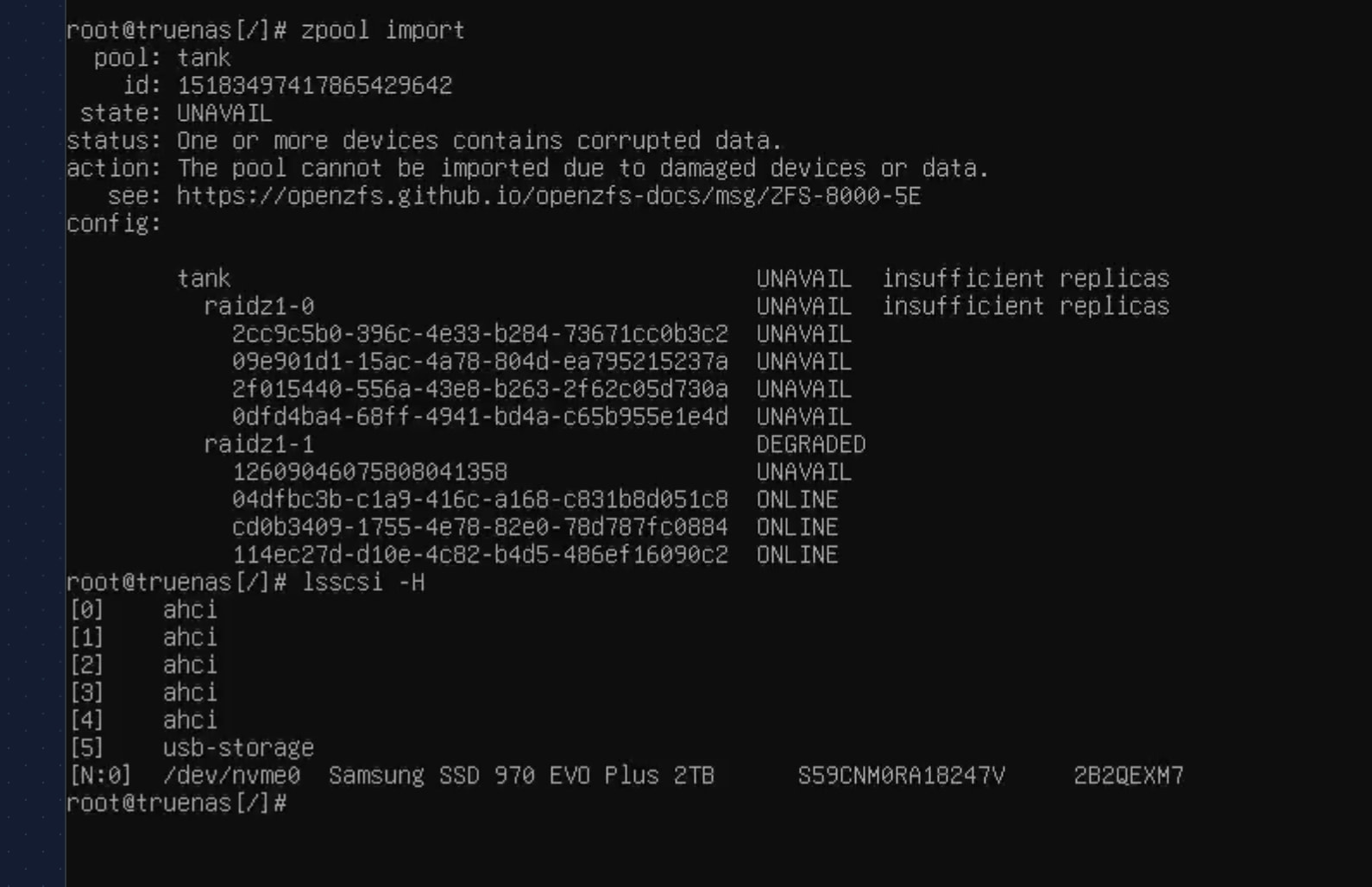
I have a HL8. with the SilverStone ECS07 NVME card.
None of the drives connected to the SilverStone are being detected in TrueNAS or in CLI with fdisk -l When booting the blue lights do turn on at each of the SATA ports. and the disks do spin
I ran into this when i initially setup my nas, it solved itself, but now its back.
I did order a normal PCIe HBA to see if that is it, but i’d really like to get this sorted out tonight if possible.
One thing you could do is check/reseat the cabling; the sata connections, the m.2 in its slot, the SFF-8643 backplane connectors. What happens if you flip the backplane connectors, do the other four drives disappear?
Another thing you could do is confirm that the controller on the m.2 card is being seen by the OS. Are you running Scale or Core. I think for Scale the commands would be something like;
dmesg | grep jmb does not return anything lspci -nn | grep -i pci nothing lspcihas a line for 06:00.0 SATA controller: JMicron Technology Corp. JMB58X AHCI SATA controller
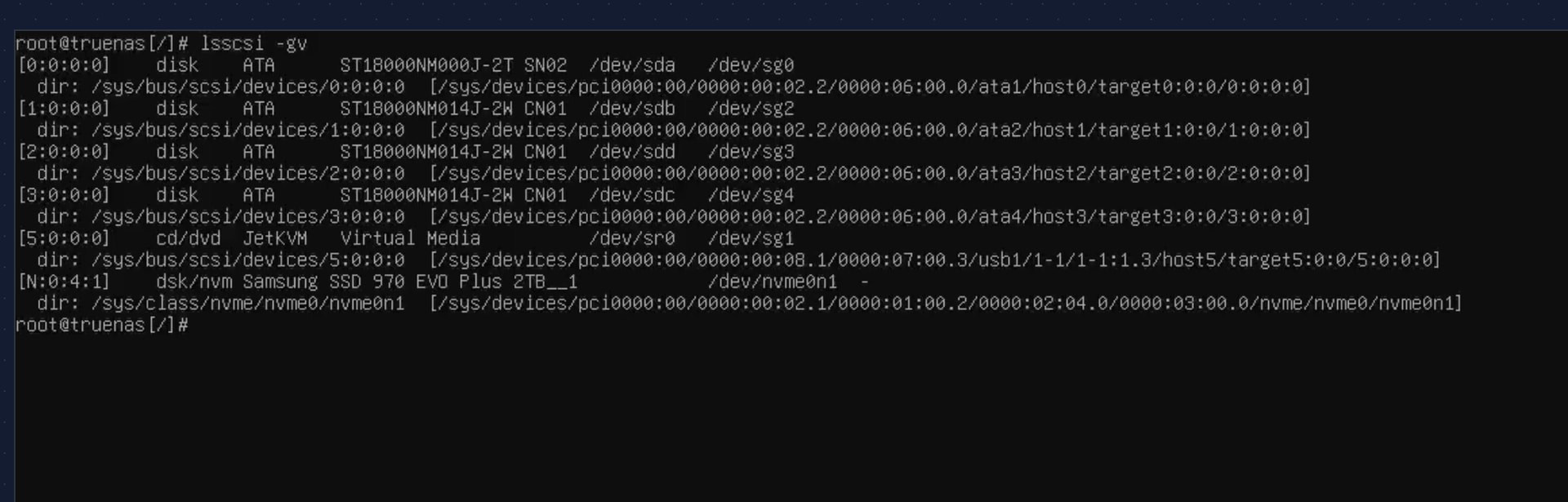
this is interesting lsscsi -gv shows the missing 18tb drives. but shows them as dev sg0, 2, 3, 4
where the 16tb drives connected to motherboard are sda,b,c,d
I don’t have an HL8, but I think that’s significant and wrong. I think the m.2 adapter connected drives should also get “sd” designations. As I understand it, “sg” means the drives were detected, but not loadable by the driver that controls block devices.
You could see if;
dmesg | grep -E ‘scsi|sd’
gives any clues.
There may be a setting in the BIOS related to whether the m.2 slot should be treated as m.2 SATA or m.2 NVMe. If so, I think it needs to be PCIe/NVMe.
i was wrong, just took everything apart and put it back together, the drives on the m.2 adapter are the ones showing (i keep screwing up. i have 4x16Tb drives and 4x18Tb drives, but in truenas they are 14 and 16tb)
So Now that the larger drives are connected to the mother board, and the smaller on the m.2. the smaller drives show on truenas
so its not the backplane and its not the cables. I’ve reset the bios to defaults. nothing
Ok, just to close this out.
the issue seems to be with 25.10.0.1 update to truenas,
I re-installed 25.10.0 and things are working fine.
I will hold back upgrading until i have more time to see if the system breaks.
Im kinda fed up with truenas, i keep having these types of issues. I ran OpenMediaVault for a long time with no issues, but everyone convinced me ZFS was better and TrueNAS was the way.
I’d file a bug report. I think you can do that with the “Feedback” icon in the upper right of the UI. May have been better to do it from 25.10.0.1, but hopefully in the report you can indicate the issue is with 25.10.0.1.
In the four or so years I’ve used TrueNAS, I’ve learned to not upgrade to a x.x.0 release on a “home prod” system. I always wait for at least the x.x.1 and more likely the x.x.2 on any system that I want to keep stable and understand the new “features” before they blindside me.
Choice of NAS OS really has a number of factors, some technical, some user preference. I haven’t used OMV, but I think you can get a ZFS plugin if you want to combine the two. Depending on your use case, need for data redundancy, integrity and such, I do think ZFS is going to be better than mdadm if those things are important to you. Running RAIDZ1 is going to be far less prone to corruption or complete pool loss on unexpected shutdown than a RAID 5 parity system.